I’ve been running Omarchy on an older laptop, and part of the fun is making small additions that fit the way I use it. Acid Alerts is one of those additions: a little more weather awareness, right where I’m already working.
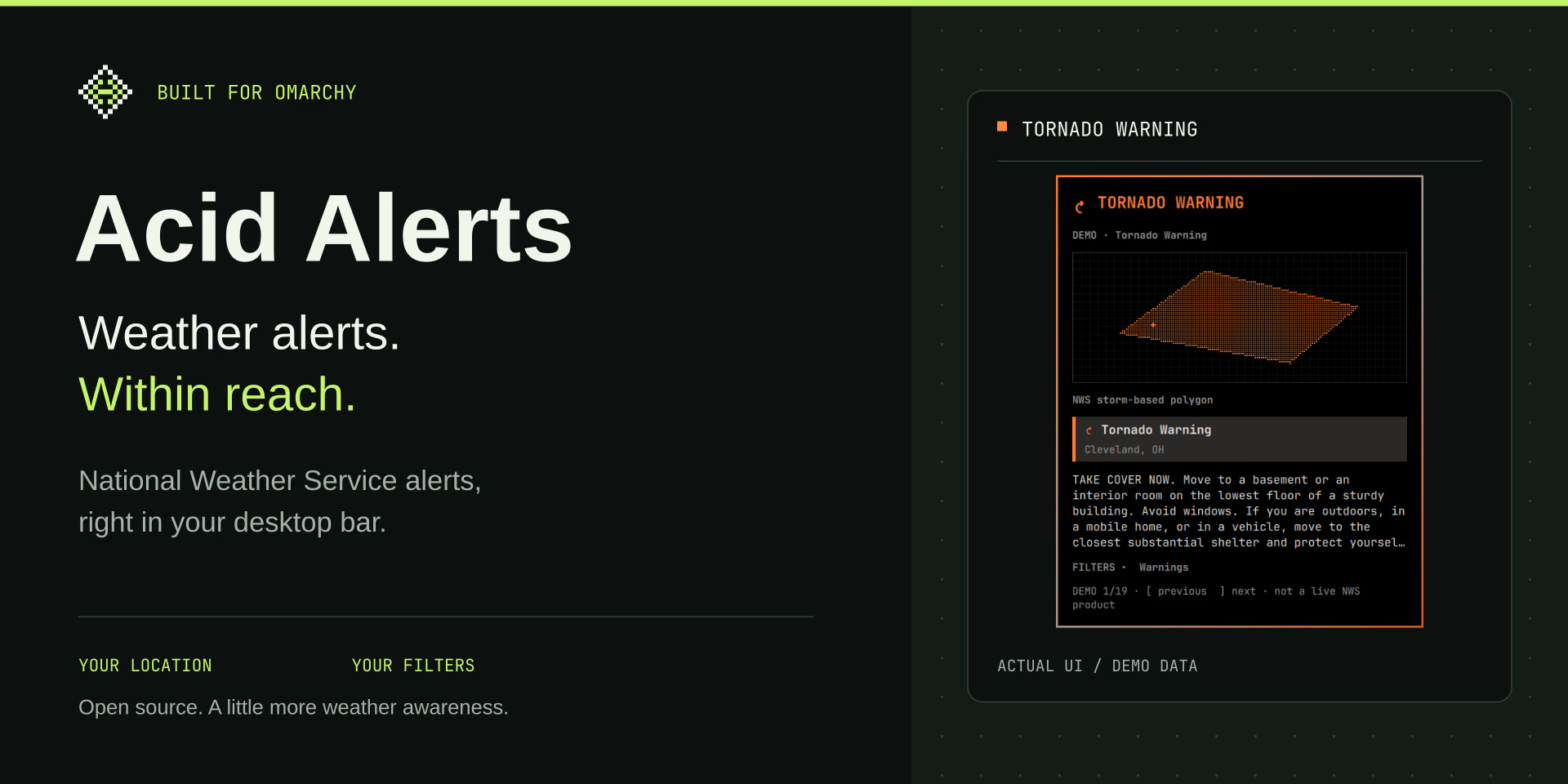
The plugin puts a small pixel diamond in the desktop bar. When a National Weather Service alert matches your location and filters, the bar shows the event. Open it to see the affected area, the alert details, and the instructions.
Acid Alerts is now live on the Omarchy Plugin Marketplace. You can find it there alongside other plugins for the Omarchy desktop.
Small in the bar, useful when opened
Acid Alerts uses your Omarchy weather location by default, with an optional location override. Warnings are enabled out of the box. You can also include watches and advisories, or narrow the view to weather families such as thunderstorms, flooding, winter weather, or heat.
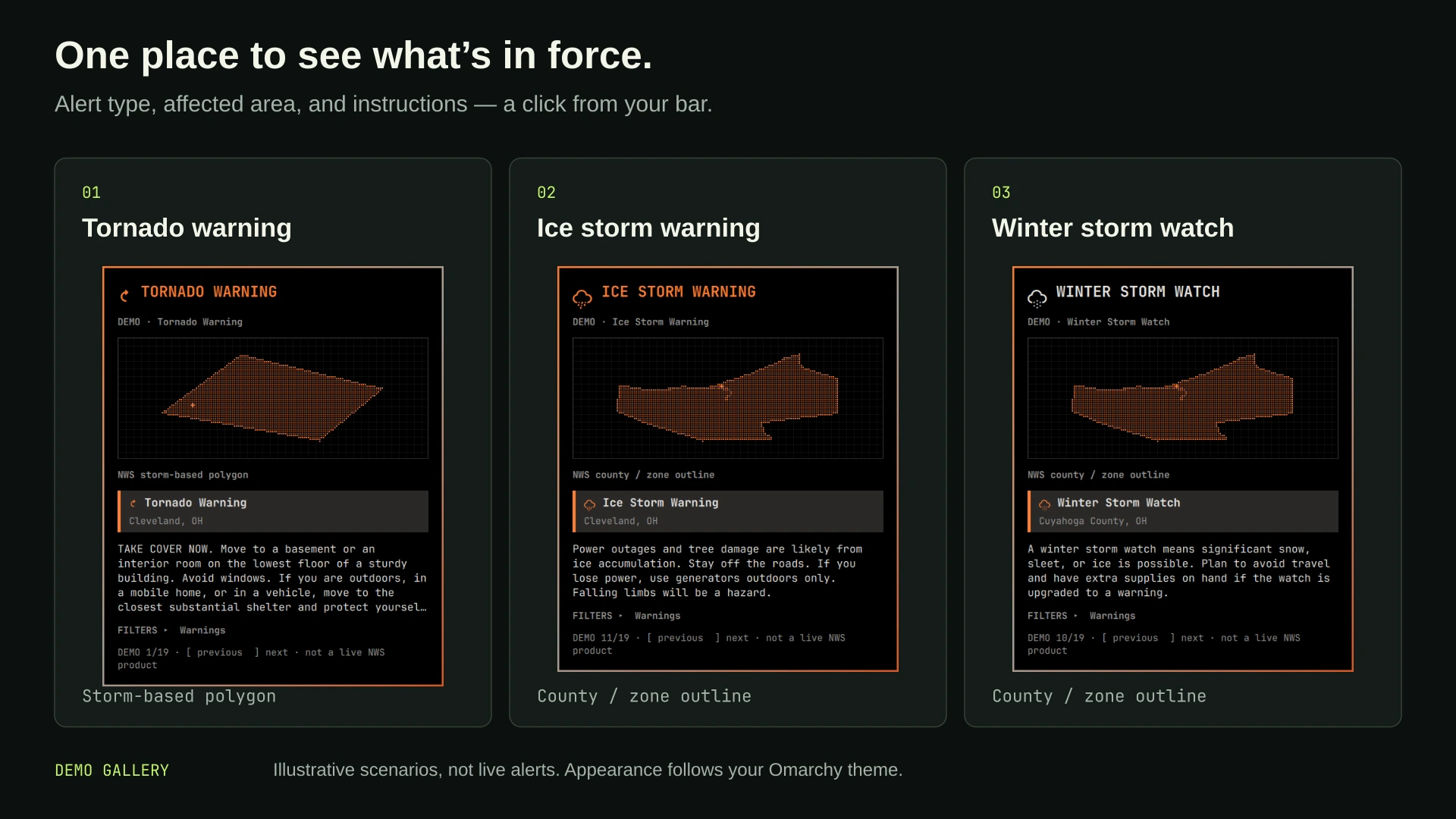
For a storm-based alert, the panel can show the NWS storm polygon. County- and zone-based alerts use their boundary outlines instead. The panel follows your Omarchy theme and supports keyboard navigation, manual refresh, and desktop notifications for newly detected qualifying alerts.
Weather awareness has limits
The plugin covers locations served by the NWS in the United States and its territories. It is an independent alert viewer, not an official NWS product, forecast, or radar app.
Checks run periodically—every 60 seconds by default—so a sleeping laptop, a lost connection, or your selected filters can affect what you receive. The panel distinguishes a successful check with no matching alerts from a failed check or older cached information. An empty panel is not a guarantee of safe weather.
Use it alongside Wireless Emergency Alerts, NOAA Weather Radio, and local emergency guidance. I wanted an additional place to notice an alert while using the laptop, with the official instructions easy to reach.
Try it on your desktop
Acid Alerts is MIT licensed. It needs an Omarchy installation with shell plugin support, curl 8.4.0 or newer, and a configured weather location. The repository’s installation instructions cover adding and enabling the plugin; its README also explains the filters, keyboard controls, and demo gallery.
Making a plugin is a satisfying way to give an older machine something new to do. This one is small enough to stay out of the way, with useful information when I open it.
Find Acid Alerts on the Omarchy Plugin Marketplace · Explore the source on GitHub · Back to projects